TL;DR
- AI automation for small business should start with one repeated workflow.
- The safest first targets are lead follow-up, customer questions, admin handoffs, and content repurposing.
- Pick the task that already happens every week and make the next step easier to see.
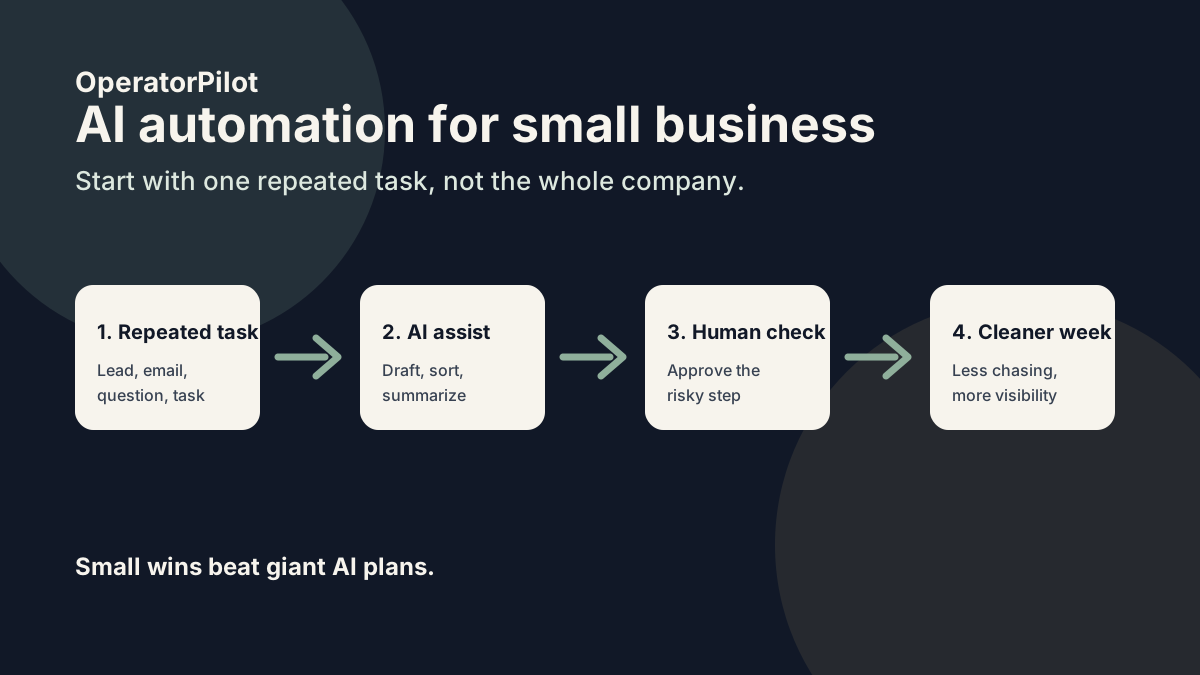
AI automation for small business uses AI to cut repeated manual work, draft responses, sort information, and move simple tasks forward. The best first project is not the most advanced one. It is the task your team repeats every week and still manages to drop.
Small businesses get sold too much AI theater.
They do not need a moonshot.
They need fewer dropped leads, fewer repeated replies, fewer forgotten tasks, and less owner brain space trapped in the business.
Start with the AI workflow automation basics before buying another tool.
What is AI automation for small business?
AI automation for small business is the use of AI tools and workflow rules to handle repeated work that would otherwise need a person each time. It can help with sales follow-up, customer support, inbox sorting, reporting, scheduling, content, and admin work.
Salesforce tracks AI tools for small businesses across sales, marketing, and CRM. The Small Business & Entrepreneurship Council has also noted rising use of AI for admin and business tasks.
But tools are not the first decision.
The first decision is what work should stop being manual.
What should a small business automate first?
A small business should automate the repeated task that costs time, money, or attention every week. Good first targets are simple enough to map and important enough to matter.
- Lead follow-up
- Missed calls or after-hours replies
- Repeated customer questions
- Client onboarding tasks
- Quote or proposal follow-up
- Weekly reporting
- Content repurposing
Do not start with the whole business.
Pick the leak.
Where does AI automation go wrong?
AI automation goes wrong when the business automates a messy process before anyone understands it. The tool runs. The owner feels busy. The customer still waits.
That is fake progress.
Before building, ask:
- Where does this task start?
- Who owns it now?
- What should happen next?
- What is the risk if AI gets it wrong?
- How will a human review it?
Small business automation ideas
| Workflow | What breaks | AI can help by |
|---|---|---|
| Lead follow-up | New leads wait too long. | Replying fast and routing hot leads. |
| Customer questions | Staff rewrite the same answer. | Drafting replies and flagging edge cases. |
| Onboarding | Steps live in someone’s head. | Creating checklists and task handoffs. |
| Reporting | Owner has no clean view. | Summarizing activity and stuck work. |
How much does AI automation cost for a small business?
AI automation can cost very little if you only need a simple tool setup. It can cost much more if the workflow touches CRM data, customer communication, approvals, and reporting.
The better question is not “what does AI cost?”
The better question is “what does this repeated task cost when nobody fixes it?”
How do you start safely?
Start with one workflow and keep a human approval point. AI can draft, sort, summarize, and remind before it sends or changes anything important.
That gives the team trust.
Run the AI Workflow Interview if you need help picking the first workflow.
FAQ
What is the best AI automation for a small business?
The best first automation is usually lead follow-up, customer questions, onboarding, or reporting because those tasks repeat often and have clear next steps.
Can small businesses use AI without a big tech team?
Yes. Many small businesses can start with simple workflows connected to tools they already use.
Should AI replace staff?
No. Start by using AI to reduce dropped balls and repeated admin work, not to replace judgment.
What tools do small businesses need?
Usually a CRM, inbox, form, spreadsheet, automation tool, and AI model are enough for a first workflow.